
.png?width=1326&height=405&name=EMPALogo_final_white-01%20(1).png)

📌 EMPA Short Take:
Most healers benefit from having scheduling software, secure payment processing, a website, client forms, and professional liability insurance.
When you're a new practitioner building a healing practice, it can feel like every business expert has a different opinion about the software you "need." It's easy to second-guess yourself or put off deciding altogether when you're worried about spending money on the wrong tools or choosing systems you'll quickly outgrow. From schedulers to website platforms, the number of options can quickly become overwhelming.
As a professional association serving energy healers and holistic practitioners, we've seen that the most successful practices are often built over time, layering tools in order of priority to support clients, protect the business, and grow alongside you.
By the end of this article, you'll have a solid understanding of popular tools available to you so you can confidently choose where you want to start and what you might add on in the future.
 1. Scheduling and Calendar Management
You'll likely need a reliable way for clients to schedule with you and for you to track appointments and availability. A scheduling or calendar management system can help you stay organized while creating a smoother experience for your clients.
Some platforms offer more than online booking. Depending on the system, you’ll find features like appointment reminders, client notes, secure communication, and/or payment processing.
Many practitioners start simple; we are big fans of Google Calendar because it’s easy to use and familiar to most people. Here are some platforms among energy healers:
-
Google Calendar – Great for practitioners who want a simple online booking calendar.
-
Calendly – An easy-to-use scheduling tool that automates appointment booking, confirmations, and reminders.
-
Acuity Scheduling – Focuses on online booking, calendar syncing, and appointment reminders for practices.
-
Practice Better – A robust, all-in-one practice management platform designed for health and wellness professionals.
It can help to list the features you need first, and then compare platforms based on those priorities. Are you looking for a simple scheduler to start, or would you like the whole package to grow with you?
2. Payment Processing
Offering clients a secure and convenient way to pay for your services can help simplify your business while creating a more positive client experience. Whether you accept payments before, during, or after a session, having a reliable payment system makes it easier to keep track of transactions and reduce administrative work.
💡 Want to learn more about keeping client information secure? Read: Do Energy Healers Need to Keep Client Info Confidential?, written by attorney Ian Foster, for practical guidance on confidentiality and privacy.
Here are some commonly used payment platforms to consider:
- Stripe – A popular online payment processor that integrates with many scheduling and website platforms. It handles recurring billing well if you sell packages or subscriptions.
- Square – Another popular system that allows you to accept payments both online and in person, making it a good option if you also work at events, markets, or retreats. Square's free card reader is a draw if you take payment on-site, and you can send clients standalone invoices right from the app.
- PayPal – A widely recognized payment platform that many clients already know and trust. That familiarity can smooth the booking process, though PayPal's buyer-protection policies sometimes favor the client in a dispute, so it's worth understanding how that works before you rely on it for higher-ticket packages.
- Venmo – A mobile payment platform commonly used to send and receive payments directly between individuals and participating businesses. Venmo's Purchase Protection can apply if you set up a business profile, but its dispute process is built around physical goods with proof of delivery — for services like a healing session, coverage is limited, so it's typically best kept to clients you already know or to low-risk payments.
- Zelle – A bank-to-bank payment service that allows money to be sent directly between eligible bank accounts. Zelle states plainly that it offers no purchase protection, and once a payment reaches an enrolled recipient it can't be cancelled — so it works best with clients you already know well.
Keep in mind that fees may differ depending on how you accept payment, such as tapping or swiping a card in person versus processing card information remotely or accepting an online payment. Consider the type of transaction you expect to use most often when comparing your options.
Some scheduling platforms, such as Square Appointments, let clients book and pay in one place. Others, like Acuity Scheduling, allow you to connect a payment processor such as Stripe or PayPal. As you research your options, think about where you'll be working, how you'd like to accept payments, and whether integration with your other business tools is important to you.
3. A Professional Website
Many healing practitioners begin by connecting with clients through social media, and that may be all you need when you're first getting started. Platforms like Facebook, Instagram, and LinkedIn can be a great way to share your work, educate your audience, and build relationships with potential clients.
After serving healers and wellness practitioners for more than 18 years, we've learned that a website doesn't have to be perfect to be effective. Like many businesses, EMPA started with a simple website and improved it over time—including a major redesign in 2024. As your practice grows, your website can adjust if it needs to, so don't feel like you must have every feature or a polished design before you're ready to welcome clients!
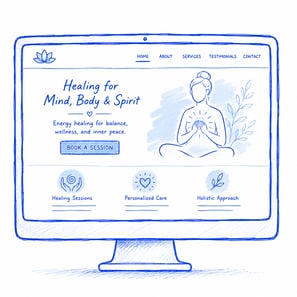
A website gives you more control over your online presence and provides a central place where clients can learn about your services, contact you, book appointments, and access important information. Unlike social media, your website isn't dependent on changing algorithms or platform updates.
When you decide to create a website, these platforms can help you get started:
- Squarespace – Known for professionally designed templates that are easy to customize.
- Wix – A beginner-friendly website builder with flexible design options and built-in marketing features.
- WordPress – A highly customizable platform that may be a good fit for practitioners who want more control or plan to expand their website over time.
💡Thinking about creating a website? Read: Most Effective Website Platforms for Energy Practitioners: Our Take as of 2025 to compare popular website builders and learn which features may best support your healing practice and long-term goals.
Whether you start with social media, a website, or both, the goal is to make it easy for potential clients to find you, understand what you offer, and take the next step when they're ready.
4. Client Forms and Documentation
Recording client information helps you understand your clients better, track their progress over time, and make informed decisions about how to support them. It also allows you to document informed consent, session notes, and preferences, while maintaining clear records that may protect you if questions or concerns arise later.
Depending on your practice, you may choose to use:
-
Intake forms – a general overview of the client and their goals
-
Wellness questionnaires – more detailed information about client’s challenges, conditions, lifestyle habits, and preferences
-
Signed informed consent with a scope of practice statement – outlining what your services do and don’t involve, and confirming the client’s understanding and permission for you to perform the services described
-
Hold harmless clause and disclaimer – a hold harmless clause defines responsibility and limits certain claims or liabilities related to participation in your services, while a disclaimer addresses that you do not treat, cure, prevent, diagnose or heal or practice medicine
-
Session notes – a record of each appointment to help you track client progress, document your services, and maintain organized client files.
Some simple digital tools to create forms and documents include:
-
Jotform – Create customized online forms, questionnaires, and intake forms. Offers security features such as encryption and compliance options, though we recommend reviewing settings to ensure client data is protected.
-
Google Forms – A free and easy way to collect information from clients. While convenient, it may not meet higher privacy standards without additional safeguards, so consider how sensitive information is stored and accessed.
-
Typeform – Creates interactive forms with a more conversational feel.
Once you have a platform you like to work with, the next step is creating forms that clearly communicate your services, establish expectations, and include informed consent, scope of practice language, and appropriate disclaimers.
💡If you prefer paper forms, consider storing them in a locked file cabinet with limited access. Whether you keep records digitally or on paper, protecting your clients' personal information is a crucial part of running a professional practice.

5. Professional and General Liability Insurance for Healers
Over the years, we've supported thousands of practitioners who didn’t realize how many unexpected situations arise once they began working with clients. Having liability insurance in place before seeing your first client gives you the confidence to focus on your work, knowing you've taken an important step to help protect your practice.
Professional and general liability insurance provides coverage for situations such as claims of negligence, accidental property damage, injuries that occur as a result of your professional actions, or at your work location, and more. Coverage varies by provider and policy, so it's very important to understand what's included before purchasing insurance.
When comparing liability insurance options, you’ll want to consider questions including:
- Does the policy state coverage for the modalities you practice?
- What are the coverage limits, and how do they compare with similar policies available to practitioners in your field?
- Does it include only professional and general liability, or does it offer a more comprehensive protection plan?
- Are online or remote sessions covered, if you offer them?
- Are there exclusions that could limit coverage of your work?
- Does the provider offer any additional benefits, like business tools and education to support you as you build your practice?
- What is the AM Best rating of the insurance company underwriting the policy? This rating is important, as it tells you the financial security of the company paying on claims.
Taking time to compare policies and ask questions can help you find coverage that aligns with your practice and the way you work.

6. Other Helpful Business Tools
You may find that additional tools help you stay organized, save time, or simplify everyday business tasks. While these aren't essential for everyone, they may be worth exploring as your needs evolve.
- Accounting: QuickBooks, Wave, or Freshbooks
- Cloud Storage: Google Workspace or Dropbox
- Design & Marketing: Canva, Adobe Express, or VistaCreate
- Workflow Automation: Zapier, Make, or IFTTT (tools that connect your apps and automate repetitive tasks)
- Social Media Management: Hootsuite or Metricool
- Email Marketing: Mailchimp, Flodesk, or Constant Contact
Remember, you don't need to invest in every tool right away. Start with the systems that solve your biggest challenges today, and add new tools as your practice and business continue to grow.
 Quick Reference: Business Tools for Your Healing Practice
| Category | Common Examples | What They're Used For |
| Scheduling & Calendar Management | Google Calendar, Calendly, Acuity Scheduling, Practice Better |
Booking appointments, managing your schedule, and (depending on the platform) client records, reminders, and payments. |
| Payment Processing | Stripe, Square, PayPal |
Accepting secure online or in-person payments from clients. |
| Website | Squarespace, Wix, WordPress |
Creating a website where clients can learn about your services, contact you, or book appointments. |
| Client Forms & Documentation | Jotform, Google Forms, Typeform |
Collecting intake forms, informed consent, questionnaires, session notes, and other client information. |
| Professional Liability Insurance | EMPA or other providers |
EMPA offers professional and general liability as part of a comprehensive protection plan designed for healers. |
| Accounting | QuickBooks, Wave, FreshBooks |
Tracking income, expenses, invoices, and other financial records. |
| Cloud Storage | Google Workspace, Dropbox |
Securely storing and organizing business documents and files. |
| Design & Marketing | Canva, Adobe Express, VistaCreate |
Creating graphics, flyers, presentations, and social media content. |
| Automation | Zapier, Make, IFTTT |
Connecting apps and automating repetitive business tasks. |
| Social Media Management | Hootsuite, Metricool |
Planning, scheduling, and managing social media content. |
| Email Marketing | Mailchimp, Flodesk, Constant Contact |
Sending newsletters, announcements, and educational emails to your subscribers. |
These are some of the tools commonly used by healers and wellness practitioners today. Take time to explore your options and find the tools—or combination of tools—that best fit your practice, your budget, and the way you like to work!
💡 Just starting your healing practice? Read: What I Wish I Had Known Before Starting My Energy Healing Practice to discover five valuable lessons from longtime energy medicine practitioner and Executive Director of EMPA Katherine Krupka. This article helps you approach your own journey with empowerment and perspective.

What's Next: Build a Successful Healing Practice
When you're starting a healing practice, it's easy to feel like you need to have every system in place before you can confidently work with clients. The good news is that most successful practices aren't built overnight; they grow one decision at a time.
You don't need a perfect system to get started. You need one that works for you today—and that may look very different in your first few months than it will a few years from now! Start with the area that's creating the most friction in your practice, put a system in place, and build from there. Small, intentional improvements over time can help create a practice that's both sustainable and supportive for you and your clients.
If you've ever worried that not having all the "right" business systems means you're behind or somehow less professional, remember that every established practice started somewhere.
As your work evolves, your business systems will evolve with it. Continue exploring tools that help you stay organized, protect your business, and support the people you serve.
Building a healing practice is a journey, and choosing the right systems along the way can help make that journey more grounded and sustainable.

 Frequently Asked Questions
What's the most important thing to consider when choosing business tools?
Rather than looking for the "best" platform, think about the problems you're trying to solve. Consider your budget, the features you need today, how easy the system is to use, and whether it integrates with the other tools you already have. The right choice is the one that supports your practice and helps you work more efficiently.
What online systems do I need to have set-up when starting a healing practice?
You don't need every business tool right away. Many practitioners begin with a scheduling system, a way to accept payments, an online presence, client forms, and professional liability insurance. As your practice grows, you can add additional tools that support your workflow and business goals.
Do I need a website to start a healing practice?
Not necessarily. Some healers begin by building their presence on social media. As your practice grows, you’ll probably want to create a website that gives clients a central place to learn about your services, contact you, and book appointments.
What's the difference between a scheduling tool and a practice management platform?
A scheduling tool primarily helps clients book appointments and keeps your calendar organized. A practice management platform may also include features such as client records, intake forms, payment processing, secure communication, and reporting.
Can I use free business tools when I'm just getting started?
Yes. Many platforms offer free plans or affordable starter options that may be enough when you're launching your practice. As your client base and business needs change, you can decide whether upgrading to additional features makes sense.
I can't afford all of these tools. What should I prioritize?
Focus on the essentials first. “Essentials” may look different for different practitioners, though a good rule of thumb could be: a way for clients to find you, a professional email address, client forms, professional liability insurance, and a secure way to accept payments. There are platforms that offer free or inexpensive starter plans to support businesses in their early stages.
I'm not very tech-savvy. Are these tools difficult to use?
Not necessarily. Most of the platforms mentioned in this article are designed for small business owners, not tech experts. They often include guided setup, tutorials, help centers, and customer support to help you get started. If you're feeling overwhelmed, start with one tool at a time and build your systems as you become more comfortable.
Disclaimer: This article is for educational purposes only and does not provide legal, financial, or medical advice. The examples are general, and coverage may vary by policy. Always refer to your insurance provider or policy language for specific details, as the policy terms take precedence. For legal concerns related to your practice, consult an attorney.
Topics: